
Blog Designer PRO for WordPress
Blog Designer PRO is a powerful WordPress plugin that helps you create attractive, responsive, and customizable blog pages without relying on complicated coding. It provides multiple layout options, styling controls, filtering features, pagination, and content presentation tools to give your WordPress blog a more professional appearance.
Whether you want a traditional blog list, modern grid, masonry layout, or timeline-style design, Blog Designer PRO provides flexible options for displaying your posts.
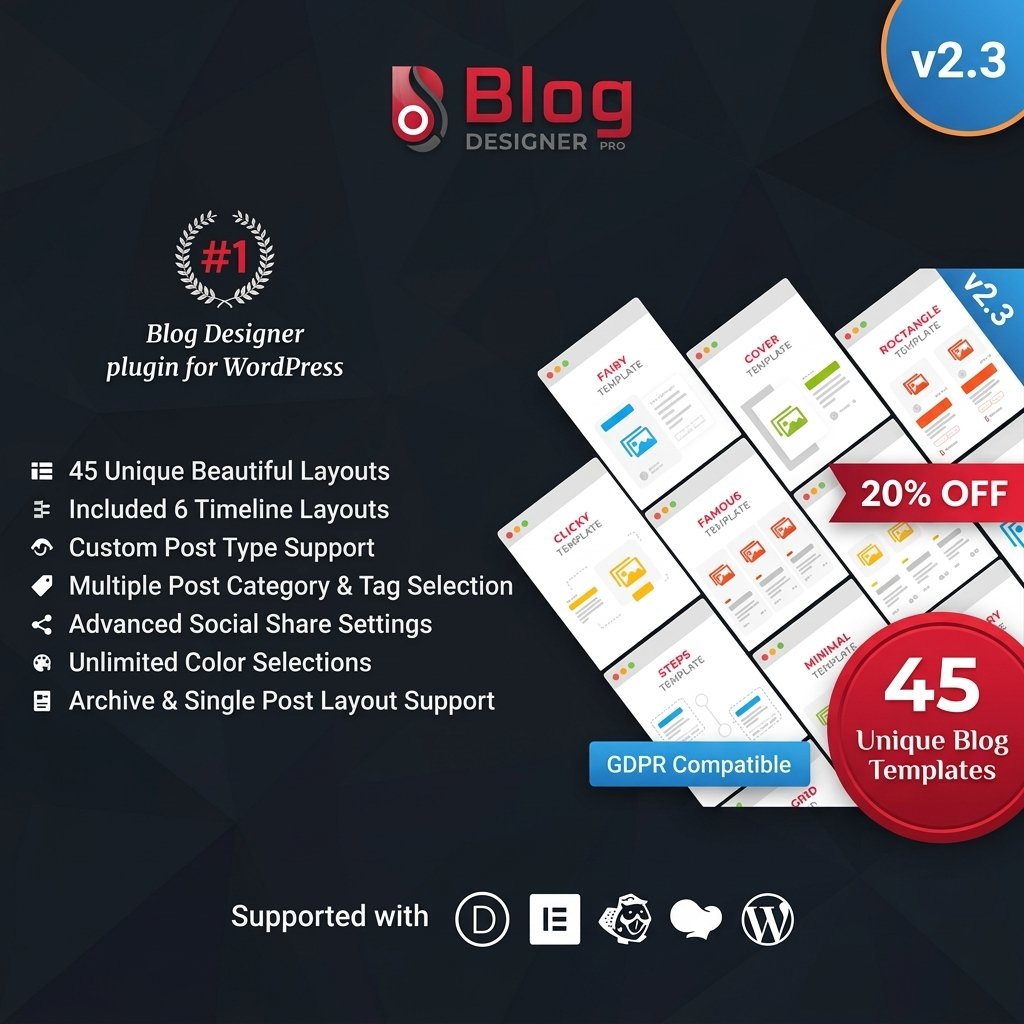
Key Features
- Multiple Blog Layouts – Choose from different layouts to display your WordPress posts.
- Grid Layouts – Create modern multi-column blog sections.
- Masonry Layout – Display posts in a flexible masonry-style design.
- List Layout – Show posts in a clean and traditional list format.
- Timeline Layout – Present posts in a timeline-style structure.
- Responsive Design – Blog layouts adapt to desktop, tablet, and mobile devices.
- Custom Post Layouts – Customize how individual posts and content elements are displayed.
- Category Filtering – Allow visitors to browse posts by category.
- Tag Filtering – Organize and filter content using WordPress tags.
- Pagination Options – Choose suitable pagination methods for longer blog pages.
- Load More Support – Allow users to load additional posts without navigating to another page.
- Typography Controls – Customize fonts, text sizes, and other typography settings.
- Advanced Styling – Adjust colors, spacing, borders, and other visual elements.
- Social Sharing Support – Make it easier for visitors to share blog content.
- Shortcode Integration – Add customized blog layouts to pages and posts using shortcodes.
Detailed Overview
Create Better WordPress Blog Layouts
The default WordPress blog layout may not always match the design of your website. Blog Designer PRO provides additional layout and customization options to help you create a blog page that fits your website’s overall design.
You can select different post layouts and configure how your content is displayed to visitors.
Grid & Masonry Blog Layouts
Grid layouts are useful for displaying multiple posts in an organized and modern format. Masonry layouts provide a more flexible presentation where posts can appear in different heights while maintaining an attractive overall structure.
These layouts can be useful for:
- News websites
- Personal blogs
- Magazine websites
- Business websites
- Portfolio blogs
- Content websites
List & Timeline Layouts
If you prefer a simpler presentation, you can use a list layout to display posts in a traditional format.
The timeline layout can also be useful for websites where posts need to be presented chronologically or as a series of updates.
Category & Tag Filtering
Blog Designer PRO can make content navigation easier by allowing visitors to filter posts according to categories and tags.
This can be particularly useful when a website contains a large amount of content across multiple topics.
Responsive Blog Design
The blog layouts are designed to work across different screen sizes, helping your content remain accessible on:
- Desktop computers
- Laptops
- Tablets
- Smartphones
Pagination & Load More
For websites with a large number of posts, displaying everything on a single page can make navigation difficult.
Blog Designer PRO provides pagination and load-more functionality to help organize larger collections of posts while allowing visitors to discover additional content.
Typography & Styling
Customize the visual appearance of your blog using available typography and styling options. You can adjust elements such as text presentation, spacing, and other design settings to better match your website.
Blog Designer PRO vs Default WordPress Blog
| Feature | Blog Designer PRO | Default WordPress Blog |
|---|---|---|
| Multiple Blog Layouts | Yes | Limited |
| Grid Layout | Yes | Theme Dependent |
| Masonry Layout | Yes | Limited |
| List Layout | Yes | Yes |
| Timeline Layout | Yes | Limited |
| Category Filtering | Yes | Basic |
| Tag Filtering | Yes | Basic |
| Pagination | Yes | Yes |
| Load More | Yes | Limited |
| Typography Controls | Advanced | Theme Dependent |
| Styling Options | Advanced | Theme Dependent |
| Social Sharing | Supported | Theme/Plugin Dependent |
| Shortcode Integration | Yes | Limited |
Installation Guide
- Download the Blog Designer PRO ZIP file.
- Log in to your WordPress dashboard.
- Go to Plugins → Add New → Upload Plugin.
- Upload the plugin ZIP file.
- Click Install Now.
- Activate the plugin.
- Open the plugin settings from your WordPress dashboard.
- Select your preferred blog layout.
- Configure categories, tags, pagination, typography, and styling options.
- Add the blog layout to your desired page using the available shortcode or integration method.
- Save the changes and check the blog page on desktop and mobile devices.
Free Download Now:
Requirements
- WordPress
- Compatible WordPress theme
- PHP version supported by your WordPress installation
- Active WordPress website
Note: Some features and available settings may depend on your WordPress version and active theme.
FAQs
What is Blog Designer PRO?
Blog Designer PRO is a WordPress plugin that provides additional layouts and customization options for displaying blog posts.
Can I create a grid blog layout?
Yes. The plugin supports grid-style blog layouts for displaying multiple posts in columns.
Does it support masonry layouts?
Yes. Masonry layouts can be used to create a more flexible visual presentation of blog posts.
Can I use a list layout?
Yes. You can use a traditional list-style layout for your blog posts.
Does Blog Designer PRO support timeline layouts?
Yes. Timeline layouts are available for presenting posts in a chronological-style format.
Is Blog Designer PRO responsive?
Yes. The layouts are designed to work across desktop, tablet, and mobile screen sizes.
Can I filter blog posts by category?
Yes. Category and tag filtering options can help visitors find relevant posts.
Does it support pagination?
Yes. Pagination options are available for websites with larger numbers of blog posts.
Can I add a Load More button?
Yes. Load More functionality can be used to display additional posts without requiring a complete page reload or navigation to another page, where supported by the selected configuration.
Can I customize typography?
Yes. The plugin provides typography and styling options for customizing the appearance of your blog layouts.
Can I use shortcodes?
Yes. Shortcode integration allows you to place configured blog layouts on supported WordPress pages and content areas.
Why Use Blog Designer PRO?
Blog Designer PRO gives WordPress website owners more flexibility when designing and organizing their blog content. Instead of relying entirely on the default blog layout provided by a theme, you can choose from multiple presentation styles and customize the way posts are displayed.
It can be useful for:
- Personal blogs
- Business websites
- News websites
- Magazine websites
- Review websites
- Portfolio websites
- Content-heavy websites
- Online publications
With multiple layouts, filtering options, responsive design, pagination, styling controls, and shortcode support, Blog Designer PRO provides a flexible way to build a more customized WordPress blog experience.